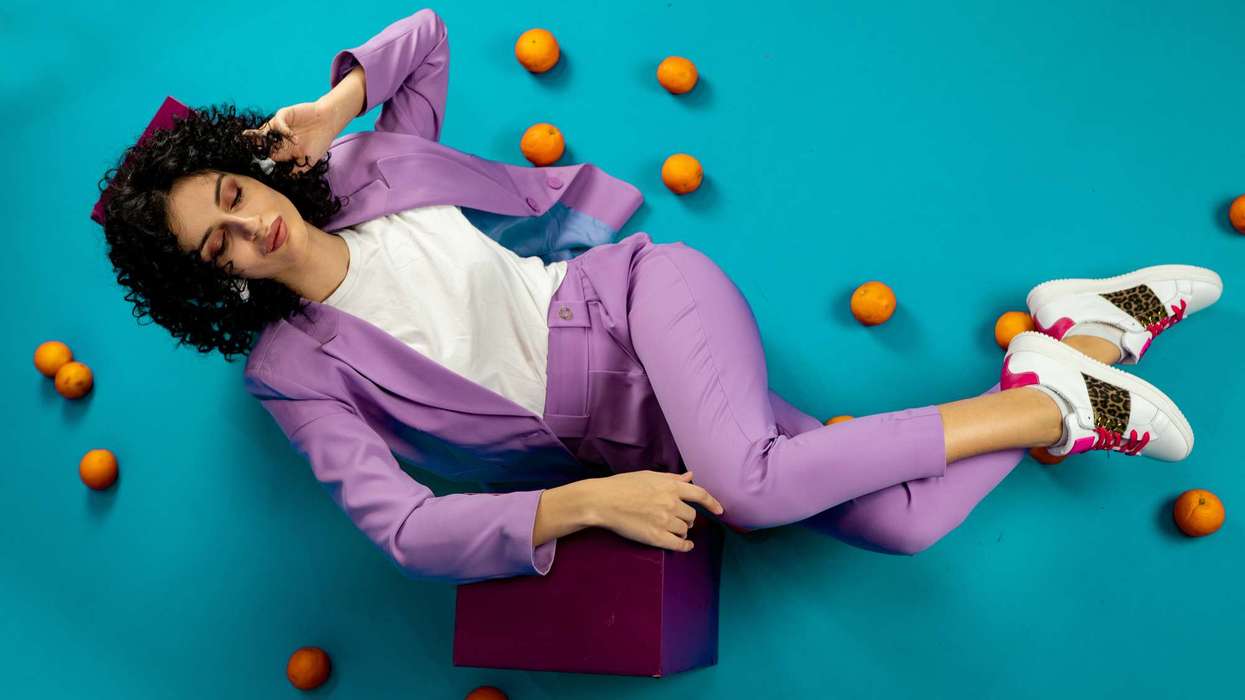

Every fashion season begins with the same question: how do we show this collection in a way that feels like a story rather than a lineup of garments? Editorial campaigns answer it with mood, setting, and attitude, but a full production with models, locations, and a crew is out of reach for many emerging labels.
An AI image generator from text puts that creative direction within reach, letting you describe a campaign and see it come to life. Dreamina is particularly strong here, with models that render fabric, light, and styling with an editorial eye.
Here's how to direct a season's worth of imagery from a single page of notes.
 DreaminaAI
Start with a concept, not a garment
The strongest campaigns are built around an idea, such as a feeling, a place, or a character, with the clothes serving the story. Before generating anything, write one sentence that captures the season's mood. Everything that follows, from palette to pose, should support that sentence.
Letting the season set the palette
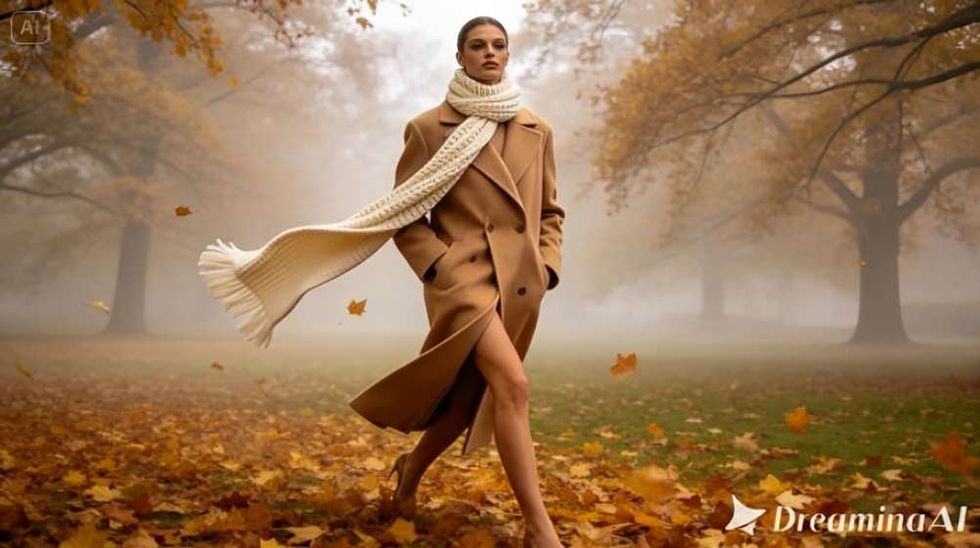
Color is the fastest way to signal a season. Spring leans soft and fresh, summer saturated and sunlit, autumn warm and earthy, winter cool and restrained.
- Spring: pastels, translucent fabrics, morning light
- Summer: bright whites, bold accents, strong sun
- Autumn: rust, camel, deep green, low golden light
- Winter: charcoal, ivory, deep blue, crisp cold air
Choosing a location that feels like part of the collection
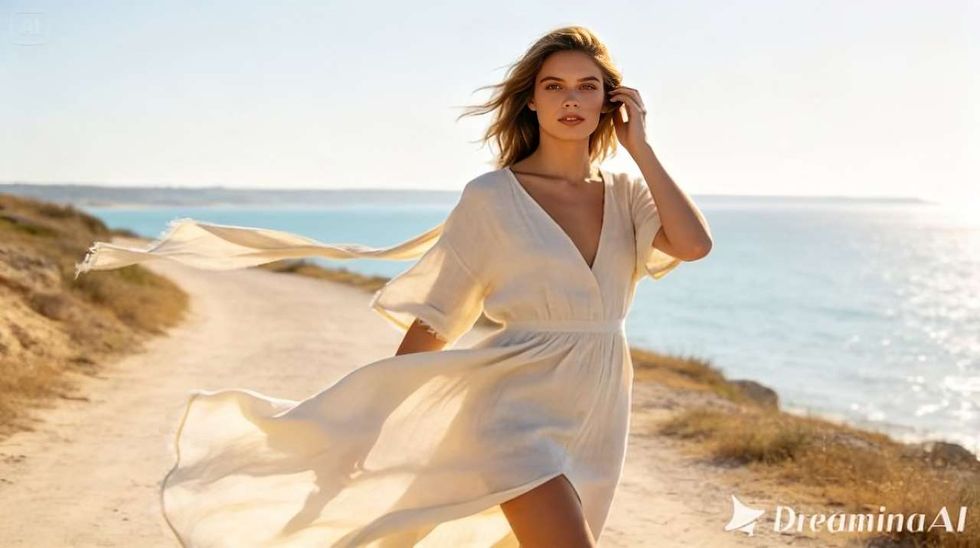
A location should amplify the clothing, not compete with it. A minimalist concrete courtyard emphasizes tailoring, while a windswept coastline suits flowing fabrics. Name the place and the weather in your prompt so Dreamina can build the atmosphere around the garments.
The language of posing and attitude
Editorial images thrive on attitude. Describe the energy you want, such as a confident stride, a candid glance away, or a relaxed lean, and mention how the garment moves. Pose and styling should read as natural, never stiff.
 DreaminaAI
Seedream 5.5: editorial quality with creative control
Seedream 5.5 is Dreamina's newest and most advanced image generation model, and it brings useful strengths to fashion work.
- Precise editing: change a garment color or an accessory without regenerating the pose, location, or light.
- Layer-style control: treat the model, the clothing, and the backdrop as separate parts to refine.
- Brand-consistent sets: carry one look across an entire lookbook so the campaign feels unified.
- Deep-thinking generation: it works through layered creative briefs involving styling, setting, and mood.
Your campaign frame in three steps
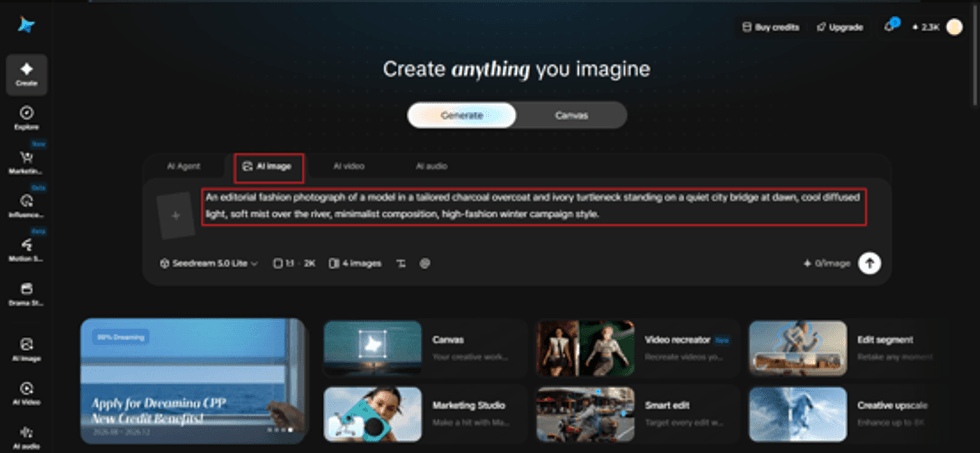
Step 1: Write a descriptive text prompt
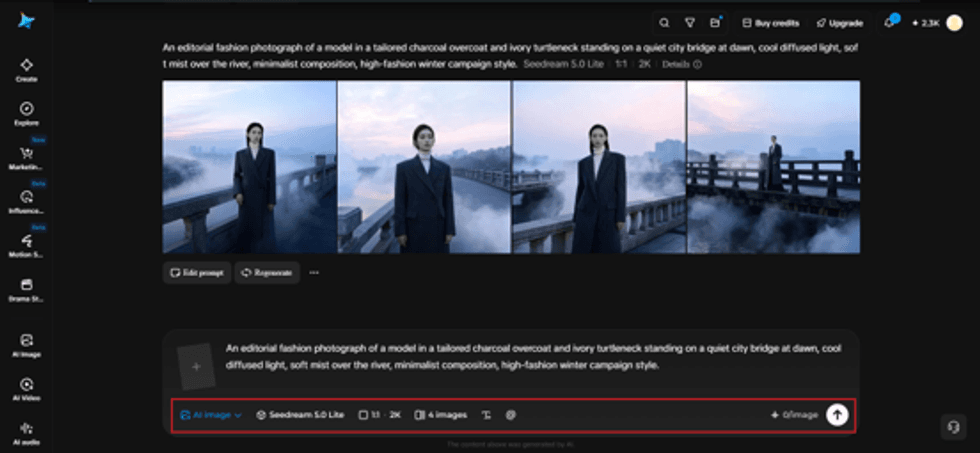
Open Dreamina and write a detailed text prompt describing the model, the outfit, the location, the light, and the editorial mood, as you would brief a fashion photographer. You can also add a reference image of a garment or a mood board for more accurate detail.
Example: An editorial fashion photograph of a model in a tailored charcoal overcoat and ivory turtleneck standing on a quiet city bridge at dawn, cool diffused light, soft mist over the river, minimalist composition, high-fashion winter campaign style.
 DreaminaAI
Step 2: Adjust parameters and generate
Choose Image 5.5, powered by Seedream 5.5, then set your aspect ratio, size, and resolution. Vertical frames suit editorials and stories, and 2K gives you room for print crops. Click Dreamina's icon to generate.
 DreaminaAI
Step 3: Customize and download
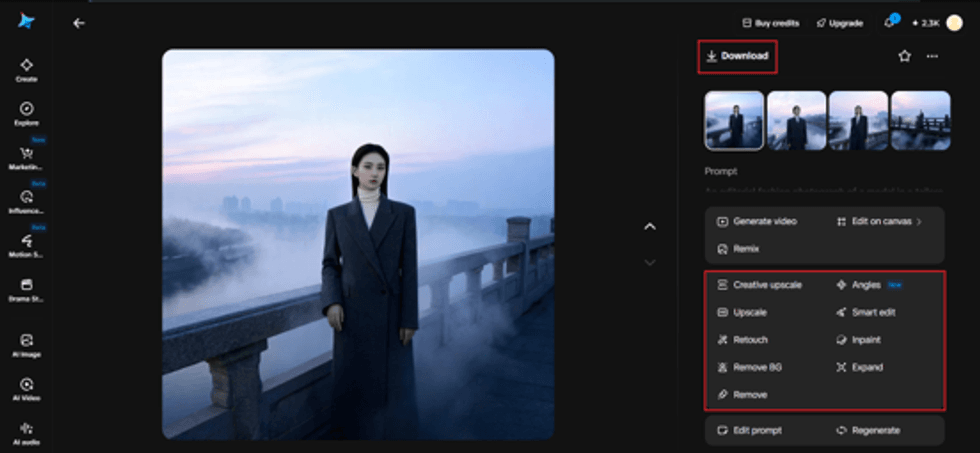
Polish your image with Dreamina's AI customization tools. Inpaint to refine a collar or accessory, expand to give the frame more breathing room, remove to clear distractions, and retouch for a final finish. Then click the Download icon to save.
 DreaminaAI
Building a campaign with range
A good campaign mixes frame types. Include a wide scene that sets the mood, a mid-length shot that shows the full outfit, and a close detail on texture or craftsmanship. Together they give editors, buyers, and customers everything they need.
Keeping the look unified across a lookbook
Consistency makes a lookbook feel designed. Repeat the same lighting description, color grade, and camera language across every prompt, and use a reference image from your best frame to anchor the rest.
Cropping for every channel
One hero image should work in many places. Plan for vertical story crops, square feed posts, and wide banners by leaving space around the subject, so nothing important is lost when the frame changes.
Using concepts responsibly
Generated imagery is excellent for mood boards, pitches, and pre-season campaign concepts. When showing finished garments to customers, keep colors, cuts, and details true to the real pieces, so what arrives matches what was shown.
Direct the season before it starts
The best collections arrive with a story already attached. With Dreamina and the editorial control of Seedream 5.5, you can direct that story visually from your desk, and you can start building your next campaign today.
This article is paid content. It has been reviewed and edited by the Eastern Eye editorial team to meet our content standards.



 pexels